Author: admin

  • Build a Repeatable Resource System for Every Project

    Build a Repeatable Resource System for Every Project

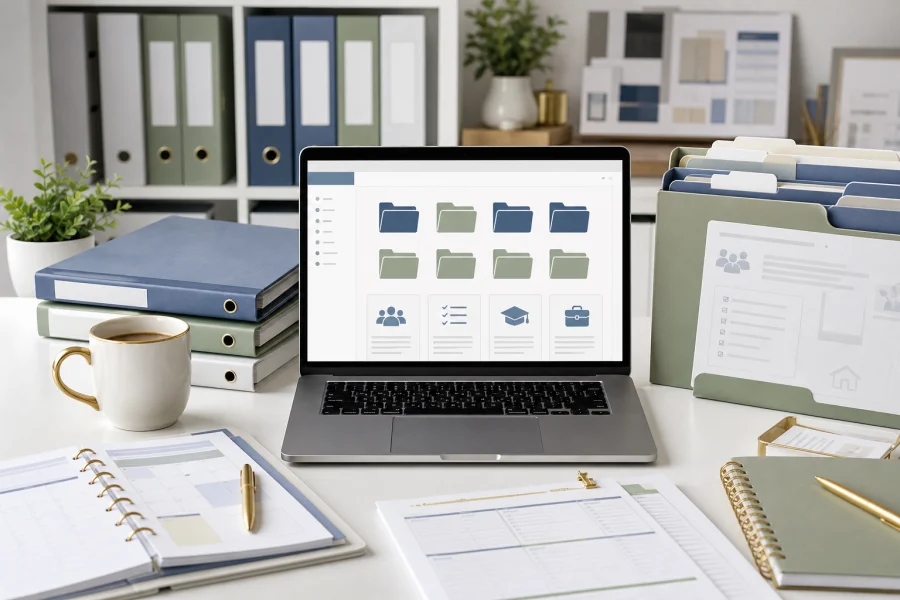
    Every project becomes easier when you do not have to rebuild the setup. Whether you are planning a family routine, preparing a teaching unit, or launching a business offer, a repeatable resource system gives you a reliable starting point. It collects the templates, assets, examples, checklists, and AI prompts you already trust.

    Start with project types

    Organize resources by the kind of work they support. A folder called Templates is less useful than folders such as Family Planners, Classroom Activities, Product Launches, Client Documents, Image Assets, and AI Prompt Frameworks. Project-based categories help you find resources when you are under time pressure.

    Inside each category, keep only resources that are genuinely reusable. A system becomes harder to use when it stores every download without review. Choose assets that have clear quality, usable file formats, and a license that fits your needs.

    Create a simple naming habit

    File names should tell you what the resource is, who it is for, and whether it is a source file or final version. For example, a name like “family-weekly-meal-planner-editable” is more useful than “download-42.” Clear names reduce searching and make it easier to reuse the same asset months later.

    • Keep source files separate from exported files.
    • Save license notes near purchased assets.
    • Store AI prompts with the output they helped create.
    • Archive outdated versions instead of mixing them with active files.
    • Review the library monthly and remove clutter.

    Build a starting checklist

    For each new project, use a short checklist: choose a template, gather the required assets, draft or outline with AI if helpful, customize for the audience, review the license, export the final file, and save the finished version back into the system.

    This approach turns your resource library into a workflow. It helps every new project begin with clarity instead of friction, and it keeps your best materials working for you again and again.


  • How to Combine AI and Digital Assets Without Starting From Scratch

    How to Combine AI and Digital Assets Without Starting From Scratch

    AI and digital assets solve different parts of the same problem. AI can help you think, outline, draft, summarize, and create variations. Digital assets give you structure, design, formatting, and reusable files. When you combine them well, you can finish projects faster without making everything feel generic.

    Let templates carry the format

    A good template already solves layout questions. It defines sections, spacing, page flow, visual hierarchy, and export size. That means you do not need AI to invent the entire product or document. You can use the template as the container and ask AI to help with the content that belongs inside it.

    For example, a workbook template can hold reflection prompts, checklists, and action steps. AI can help draft those prompts based on your audience. A social media template can provide the visual structure while AI helps create caption variations and post angles.

    Use AI for structured drafts

    The best AI prompts are specific. Instead of asking for “content ideas,” describe the asset you are filling: a five-page planner, a classroom review activity, a product listing, a launch email, or a checklist. Include the audience, tone, constraints, and final format. Then review and edit the result before it goes into the template.

    • Use AI to create outlines before designing.
    • Use purchased templates to keep the format professional.
    • Use AI to make variations for different audiences.
    • Use your judgment to edit examples, claims, and instructions.
    • Track licenses for every asset you include.

    Keep the final project intentional

    Speed should not remove taste. If every AI draft is dropped directly into a template, the finished project may feel bland. Add your examples, experience, positioning, and customer insight. Replace generic phrases. Simplify where needed. Make the design choices serve the purpose.

    The strongest workflow is a partnership: AI helps generate useful raw material, digital assets provide a polished container, and you make the final decisions that turn the project into something worth using.

  • The Case for a Shared Resource Library Across Family, Teaching, and Business

    The Case for a Shared Resource Library Across Family, Teaching, and Business

    Families, teachers, and business owners often use different words for the same need: a reliable place to keep useful resources. A parent may want meal planners and routine charts. A teacher may want activity templates and station cards. A business owner may want launch checklists and product description frameworks. A shared resource library brings those materials into one organized system.

    Reusable resources compound over time

    The first time you use a template, it saves a little time. The tenth time, it becomes part of how you work. A resource library helps that value compound. Instead of losing a helpful checklist in a downloads folder, you give it a home, name it clearly, and make it easy to find again.

    This is especially useful for people who manage multiple roles. A digital creator may also be a parent. A teacher may sell printables on the side. A small business owner may homeschool or organize community activities. Good resources can serve more than one area of life when they are easy to locate and adapt.

    What belongs in the library

    • Editable templates you use more than once.
    • Printable planners, worksheets, and activity pages.
    • Checklists for routines, launches, events, and projects.
    • Brand assets, image folders, mockups, and design kits.
    • Prompt frameworks for AI-assisted planning.
    • Notes about licenses and where each asset came from.

    Organization matters more than volume

    A resource library does not need thousands of files. It needs clear folders, consistent names, and a habit of saving final versions. Start with broad categories such as Family, Teaching, Business, Images, Templates, and AI Prompts. Add notes when a resource has usage restrictions or requires a specific editing tool.

    The goal is to create a practical memory for your projects. When a need returns, you should not have to search the internet again. You should be able to open your library, choose a strong starting point, and keep moving.

  • How Small Businesses Can Use AI to Move Faster

    How Small Businesses Can Use AI to Move Faster

    Small businesses move through many kinds of work in a single day: customer questions, product ideas, marketing content, process notes, offers, checklists, and follow-up messages. AI can help owners move faster by turning rough thinking into workable drafts. It is not a replacement for strategy, but it can reduce the time between idea and execution.

    Use AI where the blank page slows you down

    AI is especially useful when you know what you want to say but need help shaping it. A business owner can ask for a first draft of an email, a product description outline, a social media post set, a customer FAQ, or a checklist for a new service. The owner then edits for accuracy, voice, offer details, and audience fit.

    This workflow is faster than asking AI to invent the business. Give it the context, constraints, and goal, then use the result as a draft.

    Practical business use cases

    • Summarizing customer feedback into themes.
    • Drafting product descriptions from bullet points.
    • Repurposing one article into emails and social posts.
    • Creating onboarding checklists for clients or customers.
    • Brainstorming offer angles for different audiences.
    • Turning process notes into standard operating procedures.

    Do not outsource the important decisions

    AI can produce confident language, but confidence is not the same as correctness. Owners still need to verify claims, prices, policies, instructions, and promises. They also need to protect private customer data and avoid feeding sensitive information into tools without proper safeguards.

    The best AI business workflow is collaborative. The owner provides direction. AI produces options. The owner selects, edits, and applies judgment. Used this way, AI can help a small business create more consistently without losing the voice and values that make it distinct.

  • How Teachers Can Use AI Without Losing Their Own Judgment

    How Teachers Can Use AI Without Losing Their Own Judgment

    AI can be a useful teaching tool when it supports professional judgment instead of replacing it. A teacher understands the students, the classroom climate, the curriculum goals, and the small details that make a lesson work. AI does not have that context unless the teacher provides it, and even then the output needs review.

    Use AI for drafts and variations

    One of the strongest classroom uses for AI is creating first drafts. Teachers can ask for discussion questions, exit ticket ideas, vocabulary practice, reading comprehension prompts, or examples at different difficulty levels. This can speed up preparation, especially when the teacher already knows the learning target.

    AI is also helpful for variation. If one group needs simpler language and another group needs more challenge, AI can suggest alternative versions. The teacher can then adjust the tone, accuracy, and expectations before using the material.

    Keep accuracy and privacy in mind

    Teachers should check AI-generated content carefully. Facts can be wrong. Examples can be too generic. Reading levels may not match the class. Instructions may sound polished but still confuse students. It is also important to avoid entering private student information into tools that are not approved for that purpose.

    • Start with a clear learning goal.
    • Ask for a draft, not a final lesson.
    • Review every fact, example, and instruction.
    • Remove private student details from prompts.
    • Adapt the output for your classroom routines.

    AI works best with teacher-created structure

    A strong prompt often sounds like a lesson plan note: grade level, topic, objective, time limit, materials, student needs, and desired format. The more specific the teacher is, the more useful the output becomes.

    AI can save time, but the teacher still provides the purpose. Used well, it becomes a planning assistant that helps educators create more options, faster, while keeping the learning experience grounded in real classroom judgment.

  • Practical Ways to Use AI for Family Planning

    Practical Ways to Use AI for Family Planning

    AI can be useful at home when it is treated as a planning assistant, not a decision-maker. Families do not need complicated automation to benefit from AI. They can use it to organize ideas, turn messy notes into checklists, suggest options, and create first drafts of routines that can be adjusted by real people who understand the household.

    Use AI to create starting points

    Many family tasks begin with the same problem: too many details and not enough time to sort them. AI can help turn a rough request into a usable first draft. For example, you can ask for a week of simple dinner ideas based on foods your family already likes. You can ask for a morning routine for a child who needs visual steps. You can ask for a packing checklist for a weekend trip.

    The output should always be reviewed. AI may suggest unrealistic timing, ingredients you do not use, or steps that do not fit your family. The value is speed. It gives you something to edit instead of forcing you to start from scratch.

    Good family use cases

    • Meal planning based on budget, time, and preferences.
    • Chore charts by age and responsibility level.
    • Homework support questions and practice activities.
    • Birthday party planning checklists.
    • Travel packing lists and simple itineraries.
    • Rainy-day activity ideas using supplies already at home.

    Keep the human judgment

    AI should not replace family values, parenting judgment, medical advice, or school guidance. It is best used for organization and brainstorming. The parent or caregiver remains responsible for deciding what is appropriate, safe, realistic, and kind.

    The best workflow is simple: ask AI for a draft, remove anything that does not fit, add your family’s real constraints, and turn the final version into a checklist, printable, or shared note. Used this way, AI can reduce planning stress while keeping the family in charge.

  • What to Check Before Buying Digital Assets

    What to Check Before Buying Digital Assets

    Buying digital assets is easy. Buying the right digital assets takes a little more attention. A template, photo pack, planner, icon set, or worksheet bundle can look perfect in the preview but still be wrong for your project if the file format, license, or editing requirements do not match your needs.

    Check the file types first

    File format determines how flexible the asset will be. A PDF may be perfect for printing but difficult to customize. A layered design file may be easy to edit but only useful if you have access to the right software. A PNG can work well for web graphics, while a vector file is better when you need sharp resizing.

    Before buying, ask: can I open this file, edit what I need to edit, and export it in the final format my project requires?

    Read the usage rights

    License terms are not exciting, but they matter. Some assets are for personal use only. Some allow commercial use but do not allow resale as-is. Some require meaningful modification before inclusion in a paid product. Others may limit print runs, client work, or distribution inside templates.

    • Personal use: good for home, classroom, or internal projects.
    • Commercial use: needed for products, client work, and marketing materials.
    • Resale restrictions: important for templates, printables, and digital product bundles.
    • Attribution rules: check whether credit is required.

    Evaluate quality signals

    Look for clear previews, realistic mockups, detailed descriptions, and examples of included pages or elements. If the seller shows only one attractive image but does not explain what is inside the download, proceed carefully. Strong asset listings usually make the deliverables obvious.

    Finally, consider support. If a file is complex, does the seller provide instructions? If the asset depends on a specific design tool, are the steps clear? Good documentation can save as much time as the asset itself.

    A simple pre-purchase checklist protects your budget and your project timeline. Check the format, license, editability, quality, and support before you click buy.

  • Where to Buy Digital Assets for Your Next Project

    Where to Buy Digital Assets for Your Next Project

    Digital assets can save a project from getting stuck in production. Templates, stock photos, mockups, icons, printable pages, worksheets, fonts, and design kits can all help you move faster. The question is not simply where to buy them. The better question is where to buy the right asset for the job you are trying to finish.

    Start with the project outcome

    Before browsing, define the final use. Are you making a classroom activity, a printable planner, a sales page, a workbook, a presentation, or a social media campaign? A marketplace that is excellent for fonts may not be the best place for teaching resources. A stock library may have beautiful photos but limited editable templates. Your outcome should guide the search.

    Common places to look

    Most digital assets come from a few broad source types. Each one has strengths.

    • Template marketplaces: useful for planners, worksheets, presentations, product mockups, and business documents.
    • Stock asset libraries: helpful for photos, illustrations, icons, textures, and background visuals.
    • Independent creator shops: often stronger for niche resources, distinctive styles, and bundles built for a specific audience.
    • Education marketplaces: useful for classroom activities, lesson supports, and printable learning materials.
    • Design tool libraries: convenient when you want assets that already work inside your preferred editing platform.

    Look beyond the preview image

    A polished preview can hide a weak product. Before buying, check what file types are included, whether the files are editable, what sizes are provided, and whether the license fits your intended use. If you plan to sell a finished product that includes the asset, commercial usage rights matter. If you only need the asset for an internal worksheet or personal project, your requirements may be simpler.

    The best buying strategy is practical: know your outcome, check the license, confirm the file format, and buy from sources that make the finished project easier to complete.

  • How Ready-to-Use Business Templates Speed Up Everyday Execution

    How Ready-to-Use Business Templates Speed Up Everyday Execution

    Small business owners often lose time on work that is important but repetitive. They write similar emails, build similar checklists, plan similar launches, and create similar client documents again and again. Ready-to-use business templates help by turning recurring work into a system. Instead of starting from zero, a business can begin with a proven structure and adapt it to the current project.

    Templates turn messy ideas into visible steps

    A good template does more than look polished. It asks useful questions in a useful order. A launch checklist clarifies what must happen before a product goes live. A content calendar reveals gaps in promotion. A client onboarding packet creates a smoother first impression. These resources make work visible, and visible work is easier to manage.

    This is especially valuable for solo creators. When one person is responsible for strategy, production, marketing, and customer service, reusable resources prevent every task from becoming a custom project.

    They improve consistency

    Templates also protect brand and process consistency. A business that uses the same proposal structure, product description framework, or customer follow-up checklist is easier to operate. The owner does not have to rely on memory. Team members can follow a shared method. Customers experience a more professional journey.

    • Use proposal templates for repeatable service offers.
    • Use product listing templates for digital products.
    • Use onboarding checklists to reduce missed details.
    • Use launch trackers to coordinate content, assets, and deadlines.

    Customization is still the value

    The best business templates are not rigid scripts. They provide a base that can be customized. A creator can change the voice, adjust the sections, add proof, remove irrelevant steps, and make the resource fit the audience. The speed comes from not rebuilding the foundation every time.

    Ready-to-use business resources are most powerful when they become part of a repeatable operating system. They help ideas leave the notebook and become offers, pages, emails, and deliverables that customers can actually use.

  • Why Teachers Save Time with Ready-Made Classroom Resources

    Why Teachers Save Time with Ready-Made Classroom Resources

    Teaching requires creativity, judgment, classroom awareness, and a great deal of preparation. Ready-made classroom resources do not replace a teacher’s expertise. They protect it. When the structure of an activity, worksheet, station rotation, or review game is already built, teachers can spend more time adapting the material to their students instead of formatting pages from scratch.

    Preparation time becomes planning time

    A blank document can absorb an entire evening. A ready-made resource gives teachers a starting point with directions, layouts, answer spaces, and activity flow already in place. The teacher can then focus on what matters most: whether the activity matches the learning goal, how much support students need, and how the resource should be introduced.

    This is especially useful during busy weeks when educators are balancing grading, meetings, parent communication, and classroom management. A resource that is 80 percent ready can make the difference between a rushed lesson and a thoughtful one.

    Consistency helps students feel secure

    Students benefit from familiar structures. If exit tickets, vocabulary cards, guided notes, and practice pages follow consistent patterns, learners spend less effort decoding the format and more effort engaging with the content. Ready-made templates can help teachers build that consistency without redesigning every handout.

    • Use repeatable templates for warmups and exit tickets.
    • Keep station instructions visually consistent.
    • Choose activity pages that leave room for teacher notes.
    • Save editable versions so lessons can be reused and improved.

    Differentiation gets easier

    A strong teaching resource can often be adjusted for different ability levels. Teachers can shorten a task, add sentence starters, provide challenge questions, or convert a printed activity into a small-group station. The resource provides the base, and the teacher provides the professional decision-making.

    The goal is not to make every lesson feel prepackaged. The goal is to reduce repetitive production work so teachers can bring more attention, patience, and creativity into the classroom.